
CARTE IEEE 1394 FIREWIRE® PCI #F5U502EA - PCI expansion card BELKIN - Free user manual and instructions
Find the device manual for free CARTE IEEE 1394 FIREWIRE® PCI #F5U502EA BELKIN in PDF.


User questions about CARTE IEEE 1394 FIREWIRE® PCI #F5U502EA BELKIN
0 question about this device. Answer the ones you know or ask your own.
Ask a new question about this device
Download the instructions for your PCI expansion card in PDF format for free! Find your manual CARTE IEEE 1394 FIREWIRE® PCI #F5U502EA - BELKIN and take your electronic device back in hand. On this page are published all the documents necessary for the use of your device. CARTE IEEE 1394 FIREWIRE® PCI #F5U502EA by BELKIN.
USER MANUAL CARTE IEEE 1394 FIREWIRE® PCI #F5U502EA BELKIN
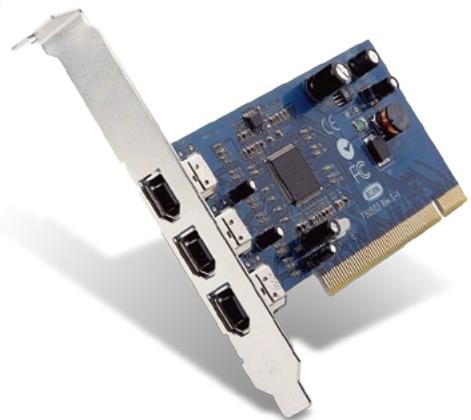
Add 3 FireWire® ports directly to your computer
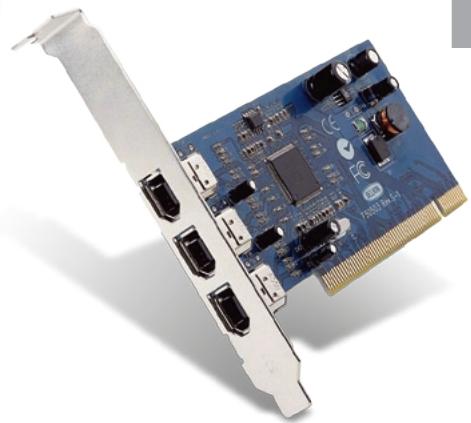

Add 3 FireWire® ports directly to your computer
EN
Introduction 1
Overview 2
Features 2
Specifications 2
Package Contents 2
Minimum Recommended System Requirements: 2
Hardware Installation 3
rear bracket 4
PCI slots 4
Software Installation 9
Windows 98 SE Driver Installation 8
Windows 2000 Driver Installation 11
Windows Me Driver Installation 12
Information 15
Thank you for purchasing the Belkin IEEE-1394 PCI upgrade card. Now you can add three 400 Mbps FireWire ports to your Windows® 98 SE, Windows® 2000, or Windows® Me computer system and enjoy the blazing speed and Plug-and-Play ease of next-generation FireWire devices.
EN
Features
- Three external 400 Mb/ps IEEE 1394 ports
- IEEE 1394a Rev 5 compliant
- Internal auxiliary power connector
- IT/AT FIFO Buffers - 4k/2k
IR/AR FIFO Buffers - 4k/2k
Specifications
- OHCI 1.0 Compliant
PCI 2.1 and 2.2 compliant
Package Contents
Belkin IEEE 1394 PCI card
- Installation CD
- User's Manual
Minimum Recommended System Requirements:
266 Mhz Pentium II
32 Megabytes RAM
One Free PCI 2.1 compliant PCI Slot
- Windows® 98 SE, Windows® 2000, Windows® Me
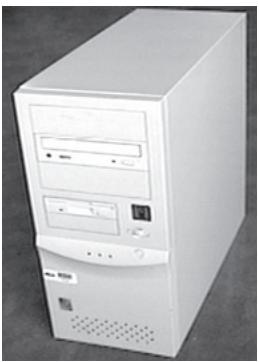
- Power off your computer and disconnect all connected devices and peripherals.
EN
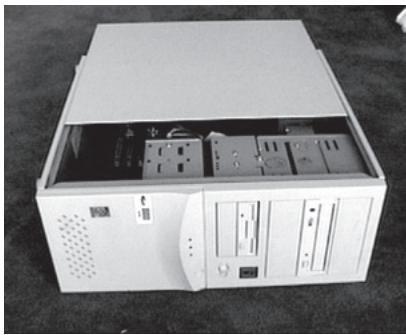
- Open the case of your computer. Refer to your computer user manual for details regarding how to do this. Be sure to touch any bare metal portion of your computer case to discharge yourself of any static electricity, which can damage your computer, or the FireWire card.
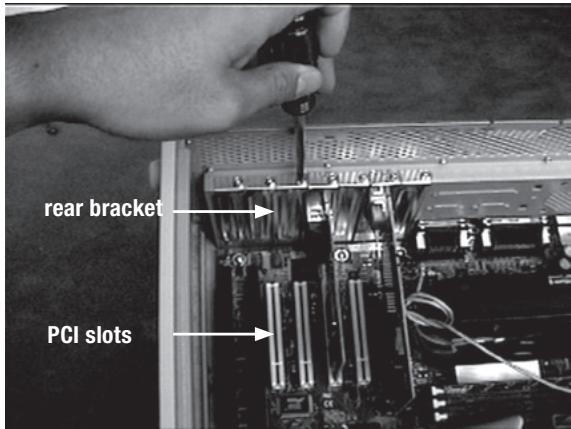
- Locate the PCI slots on your computer's main circuit board. Locate a free PCI slot. Remove the metal plate that covers the rear slot corresponding to the PCI slot you had selected. You may need a cross-head/Phillips screwdriver to remove any screws. See the image below for your reference.
EN
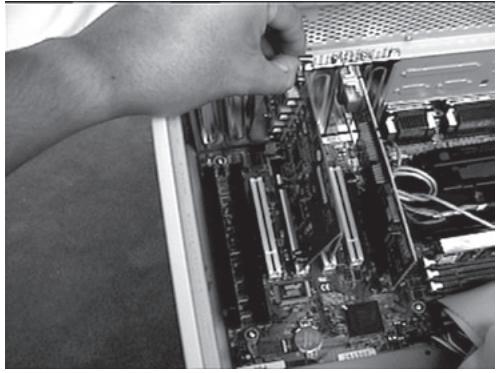
- Remove the FireWire card from its protective static bag. Handle it by the metal bracket only, and do not touch the gold edge connectors. Insert the card into the PCI slot, carefully aligning the rear bracket to the computer case. Make sure that the gold fingers are fully inserted into the slot.
EN
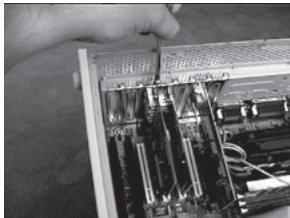
- Fasten the card securely using the screw that was used to hold the rear bracket.
EN
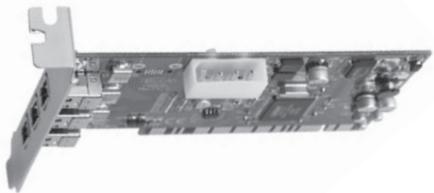
- (Optional) If you are planning to connect multiple bus powered FireWire devices to the Belkin IEEE 1394 PCI card, it may be necessary to draw auxiliary power from your computers power supply. This is accomplished by connecting a spare disk drive power cable to the power connector on the PCI card.
- Close the computer case.
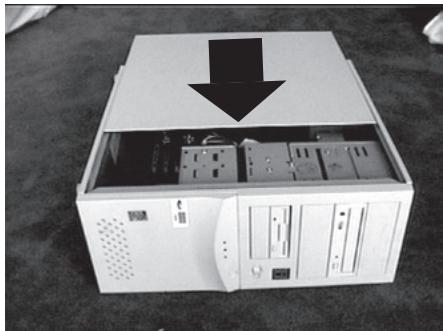
- Re-attach all peripherals to your computer, and turn the power on
EN
Windows 98 SE Driver Installation
- As Windows 98 SE starts the "New Hardware Wizard" will launch and recognize the IEEE 1394 PCI card as a "PCI OHCI compliant IEEE 1394 Host Controller". Click "Next".
EN
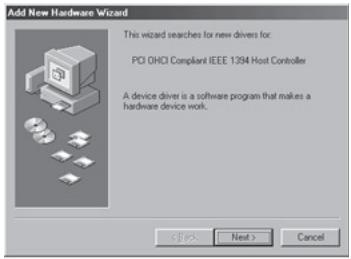
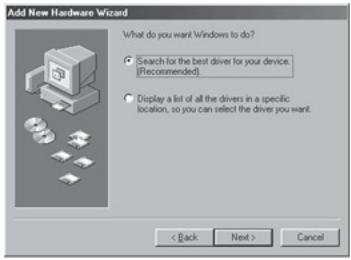
- Select "Search for the best driver for your device (Recommended)". Click "Next".
- Uncheck all boxes. Click "Next".
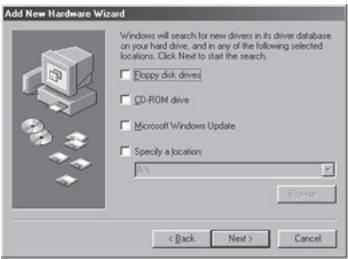
- Windows will now search its driver database for the correct driver. Click "Next."
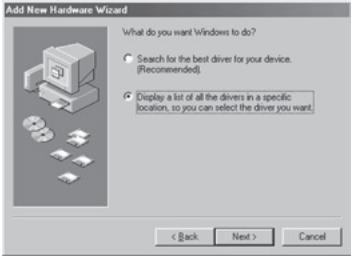
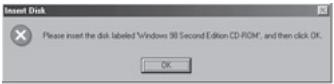
- You may now be prompted to insert your Windows 98 SE installation disk. If so, insert the CD into your CD-ROM drive, and click "OK".
EN
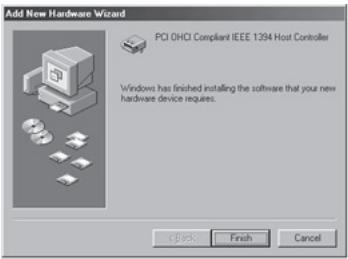
- Driver Installation is now complete. Click "Finish".
Windows 2000 Driver Installation
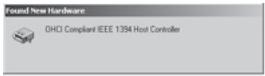
- As Windows 2000 starts the "New Hardware Wizard" will launch, and recognize the IEEE 1394 PCI card as a "OHCI Compliant IEEE 1394 Host Controller".
EN
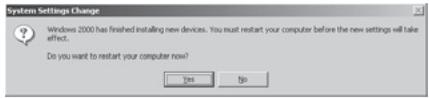
- Windows will automatically install the correct driver and prompt you to restart your computer. Click "Yes". Installation is now complete and the IEEE 1394 PCI card will be ready to use after Windows restarts.
Windows Me Driver Installation
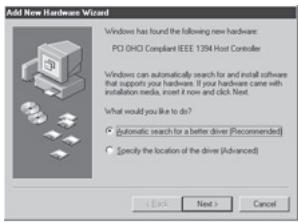
- As Windows Me starts the "New Hardware Wizard" will launch, and recognize the IEEE 1394 PCI card as a "PCI OHCI Compliant IEEE 1394 Host Controller". Choose "Automatic search for a better driver (Recommended)". Click "Next".
EN
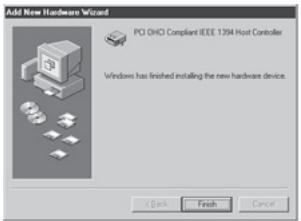
- Windows will now locate and install the correct driver. Click "Finish".
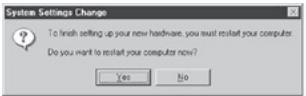
- Windows will automatically install the correct driver and prompt you to restart your computer. Click "Yes". Installation is now complete and the IEEE 1394 PCI card will be ready to use after Windows restarts.
EN
EN
FCC Statement
DECLARATION OF CONFORMITY WITH FCC RULES FOR ELECTROMAGNETIC COMPATIBILITY
We, Belkin Corporation, of 501 West Walnut Street, Compton, CA 90220, declare under our sole responsibility that the product:
F5U502/F5U503 to which this declaration relates:
Complies with Part 15 of the FCC Rules. Operation is subject to the following two conditions: (1) this device may not cause harmful interference, and (2) this device must accept any interference received, including interference that may cause undesired operation.
CE Declaration of Conformity
We, Belkin Components, declare under our sole responsibility that the F5U02/F5U03, to which this declaration relates, is in conformity with Generic Emissions Standard EN50081-1 and with Generic Immunity Standard EN50082-1 1992.
Belkin Corporation Limited Lifetime Product Warranty
Belkin Corporation warrants this product against defects in materials and workmanship for its lifetime. If a defect is discovered, Belkin will, at its option, repair or replace the product at no charge provided it is returned during the warranty period, with transportation charges prepaid, to the authorized Belkin dealer from whom you purchased the product. Proof of purchase may be required.
This warranty does not apply if the product has been damaged by accident, abuse, misuse, or misapplication; if the product has been modified without the written permission of Belkin; or if any Belkin serial number has been removed or defaced.
THE WARRANTY AND REMEDIES SET FORTH ABOVE ARE EXCLUSIVE IN LIEU OF ALL OTHERS, WHETHER ORAL OR WRITTEN, EXPRESSED OR IMplied. BELKIN SPECIFICALLY DISCLAIMS ANY AND ALL IMPLIED WARRANTY, INCLUDING, WITHOUT LIMITATION, WARRANTY OF MERCHANTABILITY AND FITNESS FOR A PARTICULAR PURPOSE.
No Belkin dealer, agent, or employee is authorized to make any modification, extension, or addition to this warranty.
BELKIN IS NOT RESPONSIBLE FOR SPECIAL, INCIDENTAL, OR CONSEQUENTIAL DAMAGES RESULTING FROM ANY BREACH OF WARRANTY, OR UNDER ANY OTHER LEGAL THEORY, INCLUDING BUT NOT LIMITED TO LOST PROFITS, DOWNTIME, GOODWILL, DAMAGE TO OR REPROGRAMMING OR REPRODUCING ANY PROGRAM OR DATA STORED IN OR USED WITH BELKIN PRODUCTS.
Belkin Corporation
501 West Walnut Street
Compton, CA, 90220-5221, USA
+1 310 898 1100
+1 310 898 1111 fax
Belkin Ltd.
Express Business Park
Shipton Way, Rushden
NN10 6GL, United Kingdom
+44 (0) 1933 35 2000
+44 (0) 1933 31 2000 fax
Belkin B.V.
Boeing Avenue 333
1119 PH Schiphol-Rijk, Netherlands
+31 (0) 206547300
+31 (0) 206547349 fax
Belkin GmbH
Hanebergstrasse 2
80637 Munich, Germany
+49 (0) 89 1434050
+49 (0) 89 143405 100 fax
Belkin SAS
Please visit our website www.belkin.com for technical support or further information.
Disposal of Waste Equipment by Users in Private Households in the European Union:
For more information, go to www.belkin.com/environmental
© 2006 Belkin Corporation. All rights reserved. All trade names are registered trademarks of respective manufacturers listed. Mac OS and Mac are trademarks of Apple Computer, Inc., registered in the U.S. and other countries.

Express Business Park
Shipton Way, Rushden
Express Business Park
Shipton Way, Rushden
NN10 6GL, GroBbritannien
+44 (0) 1933 35 2000
+44 (0) 1933 31 2000 Fax
Belkin B.V.
Boeing Avenue 333
1119 PH Schiphol-Rijk, Niederlande
+31 (0) 206547300
+31 (0) 20 654 7349 Fax
Belkin GmbH
Hanebergstraße 2
80637 München, Deutschland
+49 (0) 89 1434050
+49 (0) 89 143405 100 Fax
Belkin SAS
130 rue de Silly
92100 Boulogne-Billancourt, Frankreich
+33 (0) 1 41 03 14 40
+33 (0) 1 41 31 01 72 Fax
Belkin Iberia
Avda. Cerro del Aguila 3
28700 San Sebastián de los Reyes, Spanien
+34916258000
+34 9 02 02 00 34 Fax
Express Business Park
Shipton Way, Rushden
Express Business Park
Shipton Way, Rushden
Express Business Park
Shipton Way, Rushden
Express Business Park
Shipton Way, Rushden
NN10 6GL, United Kingdom
+44 (0) 1933 35 2000
+44 (0) 1933 31 2000 fax
Belkin B.V.
Boeing Avenue 333
1119 PH Schiphol-Rijk, Netherlands
+31 (0) 206547300
+31 (0) 206547349 fax
Belkin GmbH
Hanebergstrasse 2
80637 Munich, Germany
+49 (0) 89 143405 0
+49 (0) 89 143405 100 fax
Belkin SAS
Please visit our website www.belkin.com for technical support or further information.
Disposal of Waste Equipment by Users in Private Households in the European Union:
For more information, go to www.belkin.com/environmental
© 2006 Belkin Corporation. All rights reserved. All trade names are registered trademarks of respective manufacturers listed. Mac OS and Mac are trademarks of Apple Computer, Inc., registered in the U.S. and other countries.